This article is a stub. You can help Repair Wiki grow by expanding it
Problem description and Symptopms
You have received a phone that is working properly but has the following Symptoms:
Does not connect to PC with USB cable
Charges only with 5v and does not switch to fast charging 9volts
OTG not getting detected
Charging or Connection to pc only from 1 side
This issue mainly occurs if you have missing data lines that can lead to this type of problems. The Main lines used for commution with any external device (charger/pc/usb) are DM(Data Minus) and DP(Data Positive) lines allong with CC1 and CC2 mainly used for fast charging.
ex. if you have a phone that is connecting to pc normally but does not fast charge then the problem could be in CC1 or CC2 line(to confirm if its related to any of it cable would fast charge from 1 side and transfer data from both sides)
Diagnostic Steps
To Confirm the problem if its related to DP and DM lines you can use a tail plug tester and see if you get OL in the data lines.
Check diode value as shown in the picture
DP and DM should have almost the same diode value and this is true fro CC1 and CC2 aswell.
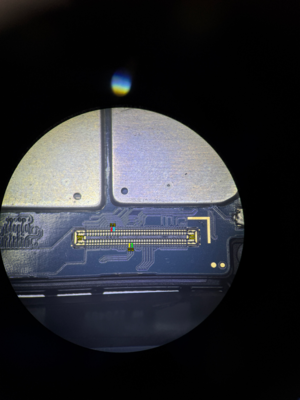
DP DM on Connector
If any of DP or DM line has lower diode value or OL you can reffer to this photo below
CPU TO MAIN CONNECTOR DP AND DMThese lines can be bypassed with no issue. if you get any short line to ground it could be due to a bad cpu aswell(not fixable without replacing cpu)
If you get any shorting/low gr/OL on CC1 or CC2 then you have to reball or change the charging ic(charging ic directly connected to cc1 and cc2 pins).
If diode values are ok on the main connector but the tail plug tests OL on some data lines then try to change the connector.
If after changing the connector problem remains the same try to change the screen(because main flex from sub board to the main board runs throught the screen) and try to change the sub board aswell.
If you do not have a screen and the sub board in stock then you can try to run the following jumper from the motherboard to the sub-board(to emulate a good flex)
DP DM on ConnectorDOCK DM DP
This is how to emulate a good dock:
DOCK DM DPDP DM on Charging Port
NOTE: All diode values are measured with a sunshine multimeter DT-17N so there can be a small difference in GR value