
More actions
Google Pixel added the in-display fingerprint sensor with the Pixel 6 in 2021. The scanner is built right into the screen, giving the phone a sleeker look. Since it’s part of the display, the sensor needs calibration to work properly. Also, when a new screen is installed, or even when a display is pulled from a donor phone, it needs to be recalibrated to ensure it works accurately
HERE is a quick Guide to Re-Calibrate
- install new display and test it
- Power Off Pixel and wait 10 sec
- Press and Hold Volume - Down, Power Button until Fastboot Screen appear
- Release the keys and Go-to This Page
- Click "Connect Device" again click on "Connect" in new prompt with name of Your Device
- After That Click on "install Software" and Wait for Download and install
- Pixel will Power on itself ones done please do a Manual Restart To Complete the Procedure
Visual Guide
-
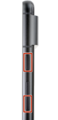
FastBoot Guide
-
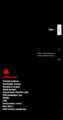
FastBoot Screen Do Not Click any Key on Phone
-
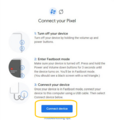
New Page Guide
-
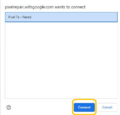
Connect Guide
-
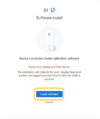
install guide
-
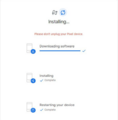
Fingerprint Data Been Written
-
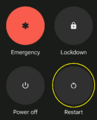
must to do step


