
More actions
| How to repair iPhone 11 Dead Not Charging | |
|---|---|
| Device | iPhone 11 |
| Affects part(s) | Logic Board, CPU |
| Needs equipment | Microscope, Hot air station, Soldering iron |
| Difficulty | ◉◉◉◉ Specialist |
| Type | Soldering |
Note: This repair should only be performed for data recovery purposes. The procedure is extremely delicate and not recommended for long-term use. Once the CPU is reballed and reinstalled, the factory underfill (glue) beneath the CPU will no longer be present, making the device far more vulnerable to damage. Even a minor drop or flex on the board can result in further failures or a complete loss of functionality. Proceed with caution and do not guarantee reliability beyond successful data extraction.
Problem description

The iPhone 11 is prone to cold solder issues under the CPU, often caused by:
- Long-term heating/cooling cycles (thermal stress)
- Drops or board flexing
- Manufacturing weakness in solder joints
This results in the CPU losing contact intermittently with the logic board.
Symptoms
- Phone does not power on.
- On DC power supply: after prompt to boot, current rises to 0.140–0.150 A and gets stuck.
- Device boots if you split the logic board (lower and upper layer), confirming CPU connection issue.
- Issue recurs unless CPU is reballed.
Diagnostic Steps
- Connect the phone to a DC power supply. Observe current behavior → prompt to boot → stalls at ~0.140–0.150 A.
- Split the logic board. If the device boots normally with the layers separated, suspect cold solder under CPU.
- Confirm by reassembling → device will fall back into the same stuck state eventually.

CPU successfully removed from board for reball

Repair Steps
- Remove the logic board and split the layers.
- Inspect CPU solder balls under microscope (signs of cracked/cold joints may be visible).
- Reball the CPU: Carefully remove residual solder from pads. Apply fresh solder balls with proper stencil. Reflow CPU with controlled temperature profile.
- Reassemble the board layers and reinstall CPU.
- Test on DC power supply → device should now boot normally.
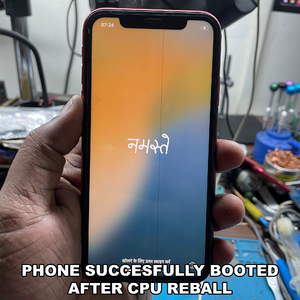
iPhone 11 booted successfully, after recalling CPU
