
More actions
This article is a stub. You can help Repair Wiki grow by expanding it
| Samsung Galaxy A32 5G Not Turning On Diagnose | |
|---|---|
| Device | |
| Affects part(s) | |
| Needs equipment | |
| Difficulty | |
| Type | |
Problem description
I will explain the way to fully diagonose a dead samsung galaxy A32 5G (SM-A326) that is not turning on.
Diagnostic Steps
- Check with dcps:
- If you have a full short while plugging in the boot cable that means you have short on VBAT(make sure you haven't plugged the cable upside down)if VBAT is shorted then probably CHARGING ic is the issue
- If you see 0.050-0.070 just with plugging in the boot cable and you press power button and nothing happenes that generally means you have a short on VPH_PWR line
- If you dont have anything in before and phone stucks on 0.100-0.200 after pressing power that usually means cpu is working but its not communicating with the ufs storage, it could be due to cold solder/ hard drop(ripped pads)/ UFS died/ cold soldered cpu. To confirm if your cpu is ok then connect the phone to a computer and in device manager.
- if you have 0.000 before triggering and 0.000 after triggering this usually means the device isn't triggering, the reason could be the power button line is broken/ power ic might be damaged/ crystal oscillator might not be working
- Plug in the charger and check the following:
- Check charging ic:
- With charger plugged in:
- Check if vbus is being supplied to the charging ic
- Check if charging ic is outputing VPH_PWR
- Check if VPH_PWR is stable (3.0-4.2v)
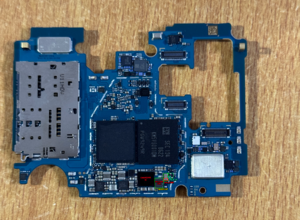
Charging section A326
- Without charger plugged in:
- Check for shorts near charging ic
- Check diode value (should be 0.250+)
- With charger plugged in:
- Check Power ic:
- Without charger plugged in:
- Check for shorts near the power ic
- Check diode value on the buck coils
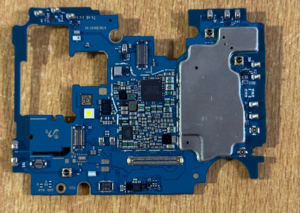
Diode value of buck coils a326 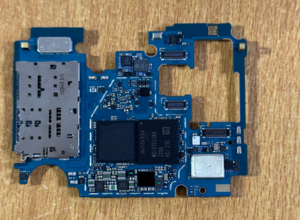
Front coils diode value a326
- With charger plugged in:
- Check if VPH_PWR reaches the power ic
- Check if voltage is stable on the buck coils
- Check for SYSTEM RESET_B presense 1.8v
- Check for WATCHDOG presense 1.8v
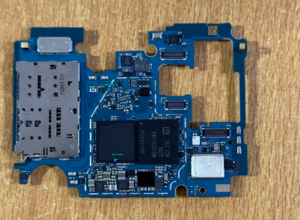
SYSTEM RESET + WATCHDOG - Check if phone automatically shows a port in device manager when device pluged in to computer
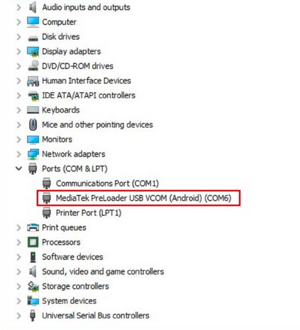
MTK USB PORT
- Check power ic pad value if necessary:
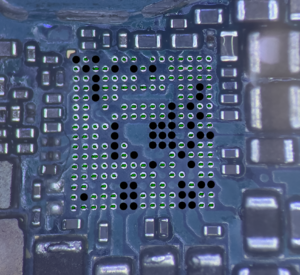
Pmic diode value
- Without charger plugged in:


NOTE: Presence of 1.8v on SYSTEM RESET_B means POWER_IC section is OK. Presence of 1.8v on WATCHDOG means CPU is is being powered and communicating.
- IF autoport:
- You could have cold solder in CPU or UFS side or Broken traces(recommended to reball both)
- You could have damaged UFS that leads to no fix and no data recovery aswell (You can check its health with various programmers like: EASY JTAG, MIPI TESTER, MEDUSA PRO, JCID U15, etc.)